
DJI Osmo Pocket Part 1 Extension Rod (CP.OS.00000003.01)




Price: [price_with_discount]
(as of [price_update_date] – Details)
[ad_1]
Product Description

Button description:
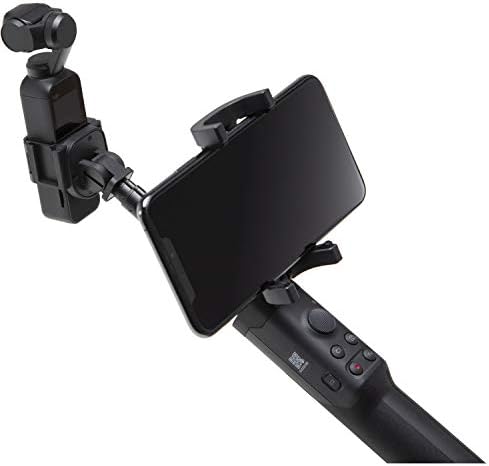
Power/ Function Buton:Press and hold the Power/ Function button for one second to power on or off in camera view, press the Power/Function button to switch between Video and Photo mode(not available in Pro setting on DJI Mimo).Press the botton twice to recenter the gimbal in the touchscreen settings page,press the button to go back to the previous menu.Button R: Press to change the orientation of the camera between forward and backward(selfie).When OSMO Pocket is not in FPV mode,hold the button to lock the current attitude of the gimbal and release the button to unlock. Joystick:Used to control the tilt and pan axis of the gimbal.Joystick Control Switch:Toggle the switch to change joystick control mode.Choose between 360° control and up,down,left and right control.Button C1:Press to switch between Tilt Locked(pan axis follow only),Follow(both tilt and pan axis follow),and FPV mode (all three axes follow).Buton C2:When the gimbal is set to Tilt Locked or Follow mode,press and hold the buttton to switch to the other mode.Realease the button to resume operation.When the gimbal is set to FPV mode,switch is unavailable.

Feature:
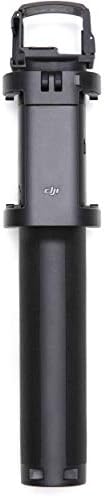
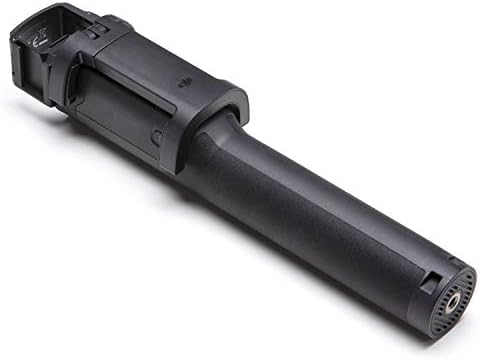
The OSMO Pocket Extension rod has A standard 1/4″mounting at the bottom connects Osmo Pocket with additional accessories. The OSMO Pocket Extension rod is designed with a mobile phone holder that can be used to secure the phone(the max width of the mobilephone is 83mm) and features a smartphone adapter slot.

The 8-Pin Connector is used to secure OSMO Pocket in place and communication with OSMO Pocket.The Cold Shoe is compatible with light weight accessories such as a fill light.The Extension Rod can be extended up to 500mm.
Specification:
Weight:199g
Size:49.2mm*48mm*235mm(folded)
49.2mm*48mm*755mm(unfolded)
Capacity:65mAh
Built-in Battery Type:LiPo
Compatibility: DJI Osmo Pocket
Operating temperature range:32℉ to 104℉ (0℃ to 40℃)
Charging environment temperature range:41℉ to 140℉ (5℃ to 60℃)
In the box:
User Manual*1
OSMO Pocket Extension Rod*1
Free Luckybird USB Reader (can read 16G/32G/64G/128G SD memory card) * 1
Warm tips:
1.Osmo Pocket will charge the Extension Rod automatically when connected.
2.The Extension Rod will run out of battery if not used for six months or longer.
3.Please connect it to an Osmo Pocket to charge it.
4.The wireless module,mobile phone,and OSMO Pocket in the picture above are not included,only for reference and display purpose.
197′ Waterproof Depth
Handheld Design
Two 2-Prong Mounts
Package Weight: 0.24 kilograms
[ad_2]


There are no reviews yet.